
HyperClean AI
YIXIANGTools
4.3271.00 Reviews
- Version
- V1.1.21
- Installs
- 1.00M
- Age Rating
- Everyone
Screenshots
Our Review of HyperClean AI
 Analysis by Appyee
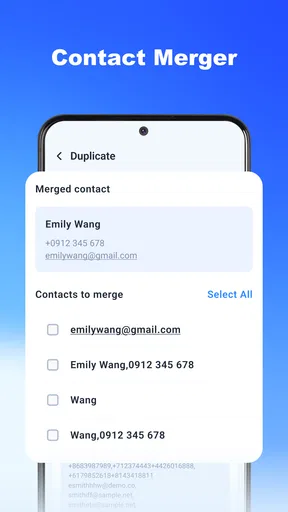
When my phone starts warning me about low storage, I want a clear way to find what is taking up room—not a long list of technical chores. HyperClean AI is a free tools app from YIXIANG that focuses on cleaning junk files and finding duplicate photos and videos. I’d treat it as a helper for reviewing storage, rather than a magic fix for every slow phone: what it can improve depends on what is actually filling your device.
What a storage-cleaning app can realistically speed up
A cleanup can make a phone feel less constrained when unnecessary files are taking up space, but freeing storage is not the same as upgrading a processor or repairing an aging battery. I would start with the app’s main purpose: inspect the proposed cleanup, pay particular attention to duplicate media, and decide what is safe to remove. That cautious approach matters more than tapping a large-looking clean button.
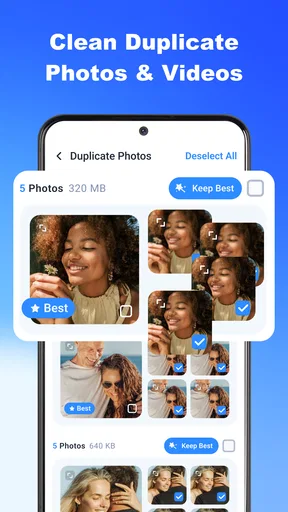
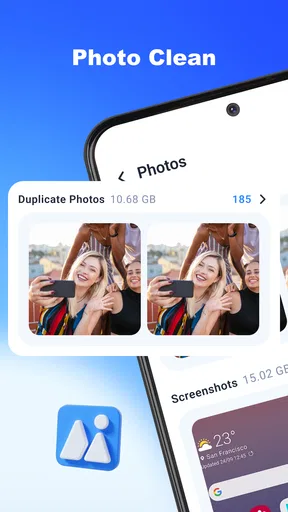
Duplicate photos are a useful example of where a dedicated cleaner may save time. After a trip or a family gathering, a camera roll can collect near-identical shots, accidental repeats, and clips you no longer need. A practical workflow is to review suggested matches in small groups, keep the best version, and leave anything uncertain untouched. This takes longer than deleting everything at once, but it reduces the chance of losing a photo you meant to keep.
Useful moments for a more careful cleanup
I can see this being most helpful before a long journey, a system update, or a day when I expect to take lots of photos. If storage is tight, a quick review of duplicates and junk can help make room for new files. It is also a reasonable option for someone who does not want to search through folders manually, provided they are willing to check what the app selects before confirming a deletion.
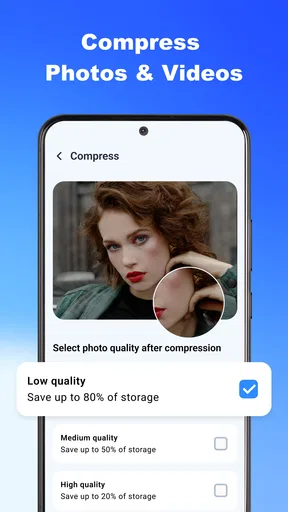
For a realistic everyday case, imagine returning from a weekend away with several versions of the same sunset and a handful of large videos. I would use a cleaner to locate potential duplicates, compare them, and remove only the copies I recognize. Then I would check the remaining storage through the phone’s own settings. That second check is useful because it shows whether the cleanup made a meaningful difference, rather than asking me to rely on a celebratory animation or a vague promise of faster performance.
HyperClean AI may also suit people who rarely tidy their media and find manual sorting tedious. It is less compelling if your storage problem comes mainly from a few large apps, offline downloads, or files you actively need. In those cases, the phone’s built-in storage screen can point more directly to the source, and removing an unused download may be better than running a general cleaner.
What is HyperClean AI?
HyperClean AI is an app designed to optimize and clean your device with just a few taps. It’s packed with features that not only help in clearing up storage but also boost performance. If you’ve ever faced the frustration of a sluggish phone or mysterious disappearing storage, this app might just be your new best friend.
Features that Stand Out
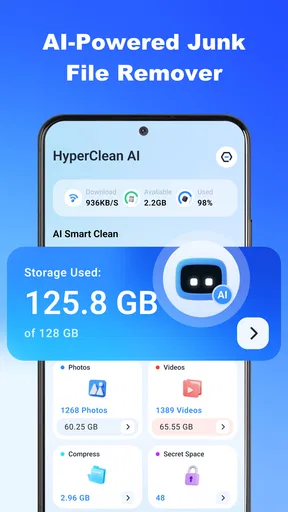
First up, let’s talk about the cleaning tools. HyperClean AI offers a comprehensive scan that digs deep into your phone to clear out junk files. Whether it’s cached data from apps you haven’t used in weeks or those sneaky duplicates eating up space, this app handles it all. It’s like a digital Marie Kondo, sparking joy with every megabyte freed.
The app also comes with a nifty battery saver feature. I’m often guilty of running too many apps at once, but thankfully, HyperClean AI identifies and shuts down power-hungry apps in the background. It's like having a personal assistant that tells you when to take a break and let your phone breathe!
Making cleanup safer and less frustrating
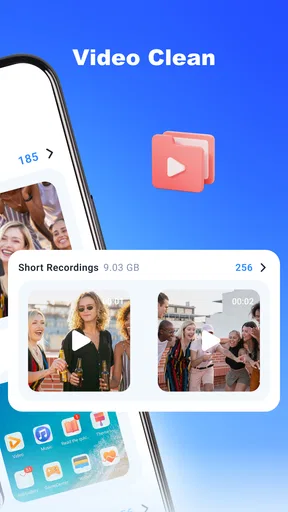
Whenever a cleaning tool identifies files for removal, I recommend treating its suggestions as a shortlist, not an instruction. Look closely at duplicate photos before deleting them, especially if the images are similar rather than exact copies. A burst of photos may look repetitive at a glance while containing one expression or detail you want to keep. The same goes for videos: confirm that a proposed copy is genuinely disposable before clearing it.
It also helps to do storage maintenance in focused sessions instead of repeatedly scanning and cleaning throughout the day. Check what is taking space, review a manageable batch of media, then stop and see whether the phone has enough room for what you need. This avoids turning a simple tidy-up into a habit of deleting files without understanding why storage filled up in the first place.
For important memories, I would make sure the files I care about are backed up before removing anything. That is sensible with any cleanup app, not a criticism unique to this one. A cleaner can make candidates easier to find, but the final decision about personal photos and videos should stay with you.
User Experience
Now, let’s chat about how it feels to use. The interface is slick and intuitive. I didn’t feel overwhelmed with options, which is a huge plus. It’s all laid out in a way that makes sense, even if you’re not a tech whiz. The dashboard gives a clear overview of what’s going on with your device, and there’s a satisfying sense of accomplishment watching those junk files vanish into the ether.
I particularly love the real-time monitoring feature. It’s not just about cleaning; it’s about maintaining. The app keeps an eye on your phone’s performance and alerts you to any unusual activity. It’s like having a watchdog, ensuring everything runs smoothly without you lifting a finger.
How it fits alongside built-in tools
Android’s own storage settings are often the best first stop when I want to identify which apps or downloads are consuming space. They provide a direct route to managing those items, while a cleaner can be more convenient when the task is sorting through junk and possible media duplicates. I would use the built-in tools for a specific culprit and HyperClean AI when I want a more guided sweep. Neither approach needs to replace the other.
That distinction is important because a cleaner cannot create lasting space if the same large files keep accumulating. If a messaging app or streaming service is storing content you still use, removing it may simply mean downloading it again later. For recurring storage pressure, I would review those habits first and reserve cleanup scans for material I no longer need.
There is also a trade-off between convenience and control. An automated scan can surface candidates faster than browsing every folder, but deciding what matters is personal. I would not approve a broad deletion just because the suggested total looks impressive. A smaller, carefully reviewed cleanup is a better result than losing a file and having to search for a recovery option.
Performance Impact
We all know the frustration of apps that promise the world and deliver nothing but more clutter. Thankfully, HyperClean AI isn’t one of them. After a week of use, I noticed a genuine improvement in my phone’s speed and battery life. It’s like having a brand-new device without the hefty price tag.
The app doesn’t just stop at cleaning, either. It optimizes your RAM, ensuring that you can switch between apps without the dreaded lag. For someone like me, who loves multitasking, it’s a lifesaver. I can finally stream my favorite shows, answer emails, and browse social media without any hitches.
Reliability, device fit, and the trade-offs
For performance, I would keep expectations tied to the actual problem. Removing unwanted files may ease a storage bottleneck, but it cannot guarantee faster app launches or longer battery life on every device. A phone that is slow because of an older battery, limited hardware, or a demanding app may feel much the same after a cleanup. If the device is already working well and has plenty of free space, the benefit may be modest.
The app is listed for Android 6.0 and later, so users should check their device’s Android version before installing. Its age rating is Everyone. It is free to download, while in-app purchases range from $6.99 to $39.99 per item. I would try the basic experience first and consider a purchase only if I understand what it adds and expect to use it; a paid option is not necessary just because a scan finds files.
HyperClean AI has a 4.5 average from around 7,700 ratings, and it has passed one million installs. Those figures suggest that many people have tried it, but they cannot tell me how it will behave on a particular phone. The current version is V1.1.11, and the app was released on August 28, 2025. I would still judge its usefulness by whether it identifies files I actually want to remove, not by popularity alone.
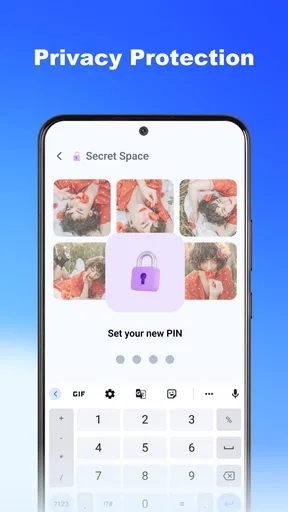
As with any app that helps manage personal media, I would review deletion prompts rather than assuming every recommendation is correct. If you need a recovery guarantee or want detailed manual control over every file, your phone’s file manager and backup tools may be a better fit. Likewise, anyone uncomfortable granting an app access needed to inspect media should stick with the built-in storage controls instead.
Final Thoughts
HyperClean AI is more than just another cleaning app. It’s a comprehensive tool that offers real-world benefits for anyone looking to improve their phone’s performance. The features are robust, the interface is friendly, and the impact is noticeable.
If you’re tired of dealing with a sluggish phone or just want to make sure your device is running at its best, give HyperClean AI a shot. It’s easy to use, effective, and honestly, a bit of a game-changer. Download it, give it a whirl, and let me know what you think!
My practical verdict is that I would recommend it to someone whose camera roll and unwanted files are the main storage headache, and who is comfortable checking suggested deletions. I would skip it if I wanted a guaranteed speed boost, a recovery tool, or a fix for a hardware-related slowdown. Used thoughtfully, it can make a routine cleanup less tedious; the safest approach is to let it find candidates while keeping the final say over what stays on your phone.
Verdict
Strengths of HyperClean AI
- Intuitive interface simplifies cleaning tasks.
- AI-powered tools optimize device performance.
- Customizable cleaning schedules for convenience.
- Supports multiple file types for thorough cleanup.
- Enhances battery life by reducing background apps.
Limitations of HyperClean AI
- Free version has limited features available.
- Occasional ads can interrupt user experience.
- Requires internet connection for optimal use.
- High battery usage during intensive cleaning tasks.
- May unintentionally remove important files.
Other Releases by YIXIANG
View All
SonicNest — Music Player
Music & Audio4.3
Similar Picks in This Category
View All
Google LLC4.0

Gboard - the Google Keyboard
Google LLC4.5

Google Play services
Google LLC4.3

Google Play Store
Google LLC4.9

Files by Google
Google LLC4.5

SHAREit: Transfer, Share Files
Smart Media4U Technology Pte.Ltd.4.3
Frequently Asked Questions
What is HyperClean AI and how does it work?
HyperClean AI is a sophisticated app designed to optimize your device's performance by cleaning unnecessary files, managing storage, and enhancing speed. It uses artificial intelligence to identify redundant files and apps, ensuring efficient storage management without compromising important data.
Is HyperClean AI safe to use on my device?
Yes, HyperClean AI is designed with user safety and privacy as a top priority. It performs all cleaning operations securely without accessing or deleting critical files. The app adheres to strict privacy policies, ensuring your personal data remains confidential and protected.
Does HyperClean AI support both Android and iOS devices?
Currently, HyperClean AI is available for both Android and iOS platforms. It offers tailored features for each operating system to ensure optimal performance, making it a versatile tool for users across different devices. Check the app store for compatibility with your specific OS version.
Will HyperClean AI significantly improve my device's performance?
HyperClean AI is designed to enhance your device's performance by removing clutter, optimizing storage, and managing background processes. While results may vary depending on your device's condition, many users report noticeable improvements in speed and responsiveness after using the app regularly.
Are there any in-app purchases or subscriptions in HyperClean AI?
HyperClean AI offers a free version with essential features, but to unlock advanced functionalities, users can opt for in-app purchases or a subscription model. These premium options provide enhanced cleaning capabilities and additional tools for comprehensive device management.
